Type, speak or both
Say "full stop" or "comma" for punctuation. On an iPad, the microphone on the keyboard works too.
Precinct Care
Speak instead of typing, hear it read back, fix the spelling, and sign with your face. Daily logs that take minutes, not the end of the shift.
Many good care workers find writing hard. Logs get left until the end of a long shift, written short, or written by someone else. Precinct Care is built so that anyone can record well, including staff with dyslexia.
Where we are: Precinct Care is in final development, shaped with registered managers, Responsible Individuals and Reg 44 visitors. We are booking demonstrations now and taking a small number of pilot homes. The snippets on this page are from the working system, filled with made-up people and records.
Say "full stop" or "comma" for punctuation. On an iPad, the microphone on the keyboard works too.
Hear the log read aloud before you sign it.
Common mistakes are checked on the device, with a fuller check when online.
Mood, school, meals, medication and family contact are taps, not paragraphs.
A space for what the young person said or wants in their record.
Add activity photos, letters and appointment cards. They appear in the file's photos too.
Face ID or a fingerprint on a registered device. No password, and a colleague can't sign for you.
Saved as you type. If the internet drops, the log syncs when it's back.
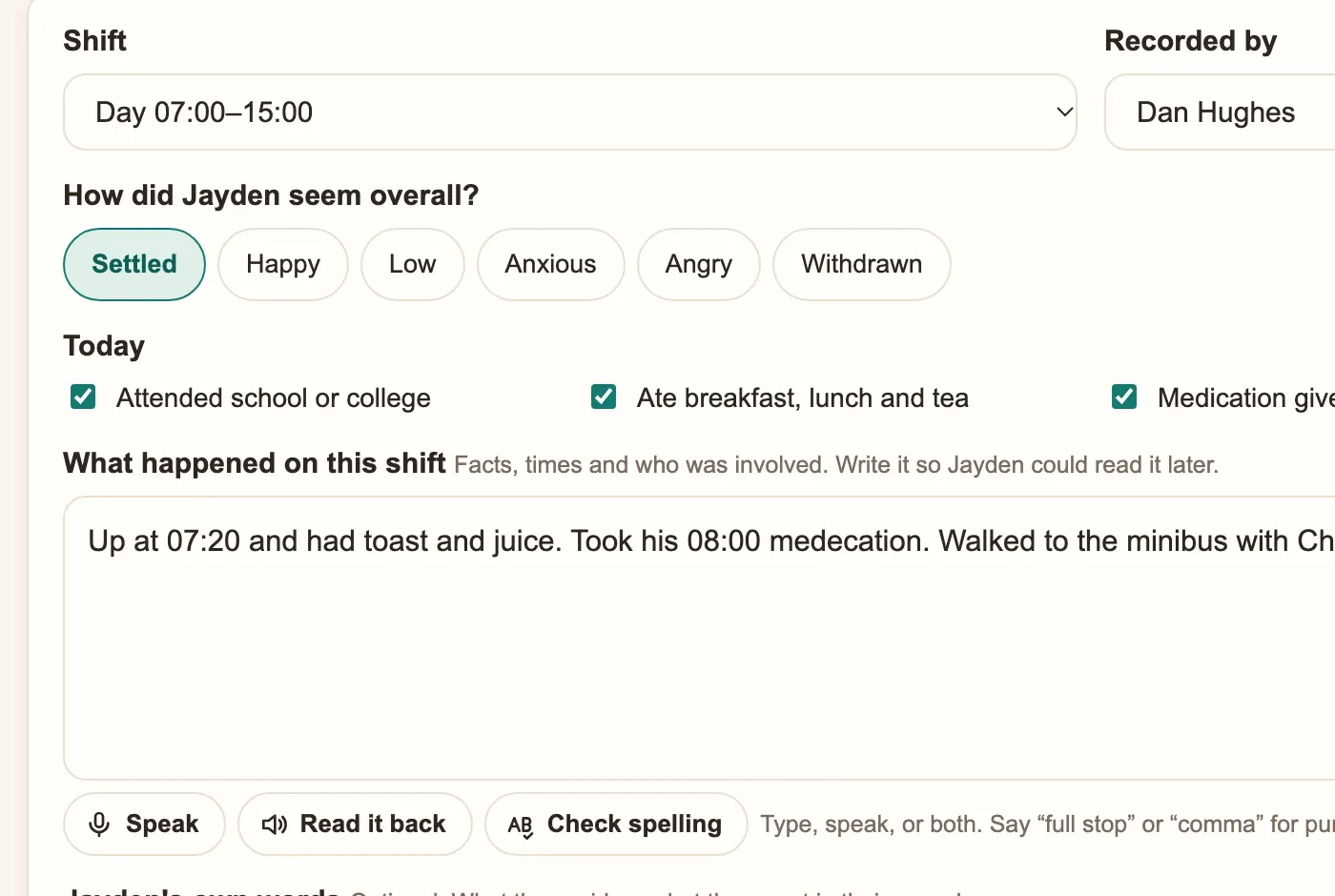
The log asks the questions a manager needs answered, then gives space for what happened on the shift. If a worker mentions a physical intervention, an incident form opens after saving. Significant events can be added to the chronology with one tap.
Mistakes can be corrected: open the entry and choose Edit. The first version is kept, and the change is signed and dated.
Short recorded training videos with subtitles and transcripts show how to sign in, find a file, write a log and record an incident. A tip of the day and searchable questions answer the common ones, such as "The internet's down. Can I still write logs?"
Staff can choose a colour theme, including a dark theme that is easy on the eyes for night shifts.
Book a 30-minute demonstration. We'll show you the screens your staff, managers and inspectors would use.
Precinct Care
Recording software for children's homes, built around the 2015 Regulations and Quality Standards: daily logs, files, chronology, Reg 40, 44
Record incidents and physical interventions in a children's home. Precinct Care starts the regulation 35 steps automatically: record within
Each young person gets their own app: goals and points, their placement plan in plain words to read and sign, a memory book of their time in