A live training matrix
Safeguarding, paediatric first aid, fire safety, medication, positive behaviour support and more, for every member of staff.
Precinct Care
When a course is missing, out of date or due within 30 days, Precinct Care gives that person the online course and reminds them. Nobody has to chase it.
Keeping a training matrix up to date is one of the jobs that falls to managers at night. In Precinct Care the matrix is live: it reads each person's courses, shows what is valid and what is due, and does the chasing.
Where we are: Precinct Care is in final development, shaped with registered managers, Responsible Individuals and Reg 44 visitors. We are booking demonstrations now and taking a small number of pilot homes. The snippets on this page are from the working system, filled with made-up people and records.
Safeguarding, paediatric first aid, fire safety, medication, positive behaviour support and more, for every member of staff.
Gaps get the online course assigned 30 days before anything runs out.
Short courses end with a few questions, and the training record updates when passed.
Supervision notes kept on each staff record, with overdue supervision flagged to the manager.
Give work to anyone in your homes. You check it before it's closed, and can send it back.
Fire drills, water temperatures, vehicle checks and room checks come back on their own.
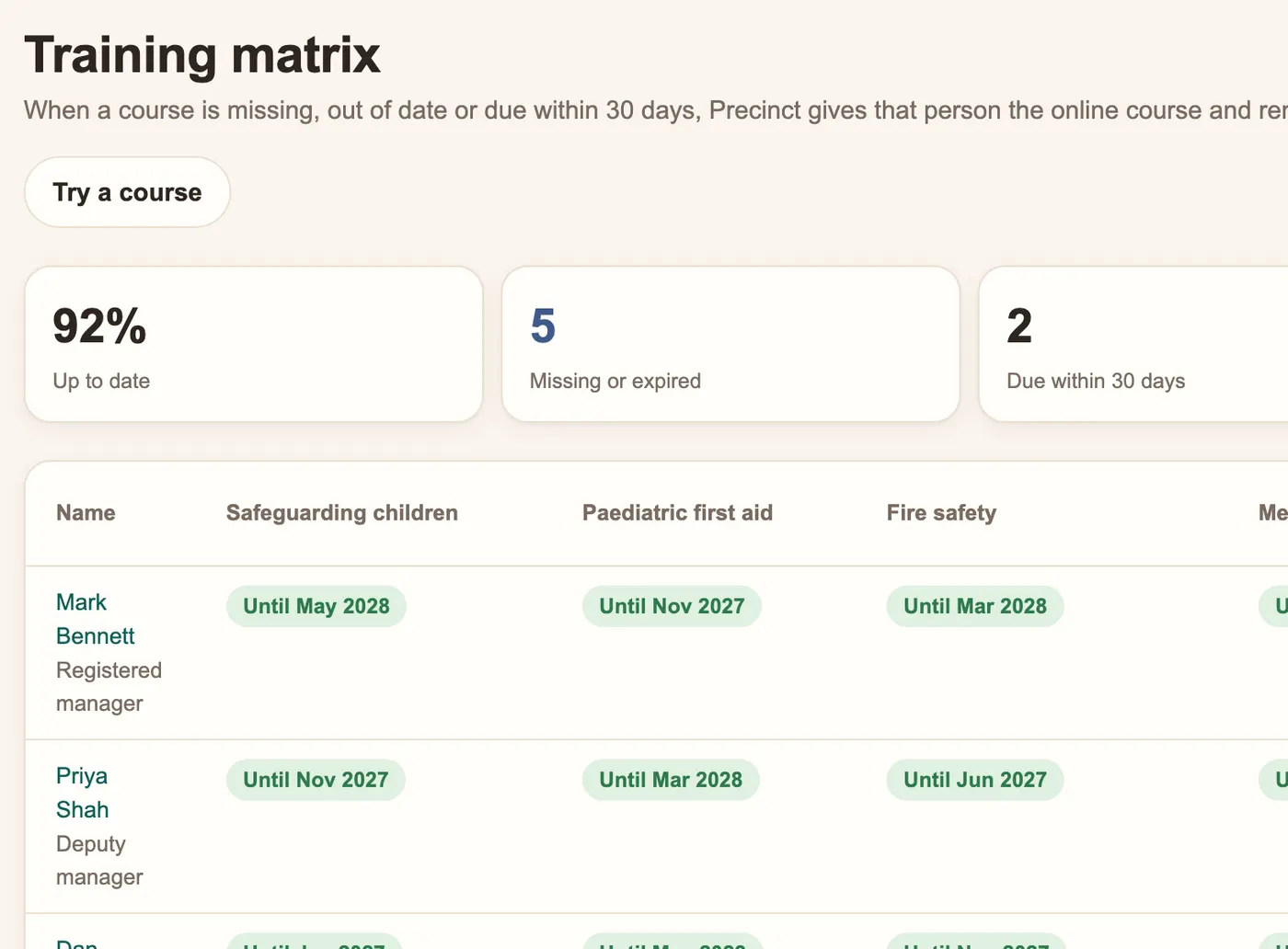
The matrix shows, for each person, which courses are valid, which are due within 30 days and which are missing or expired. Staff see their own training and the courses they need to do. Inspectors and Reg 44 visitors see a staffing summary with training and DBS status.
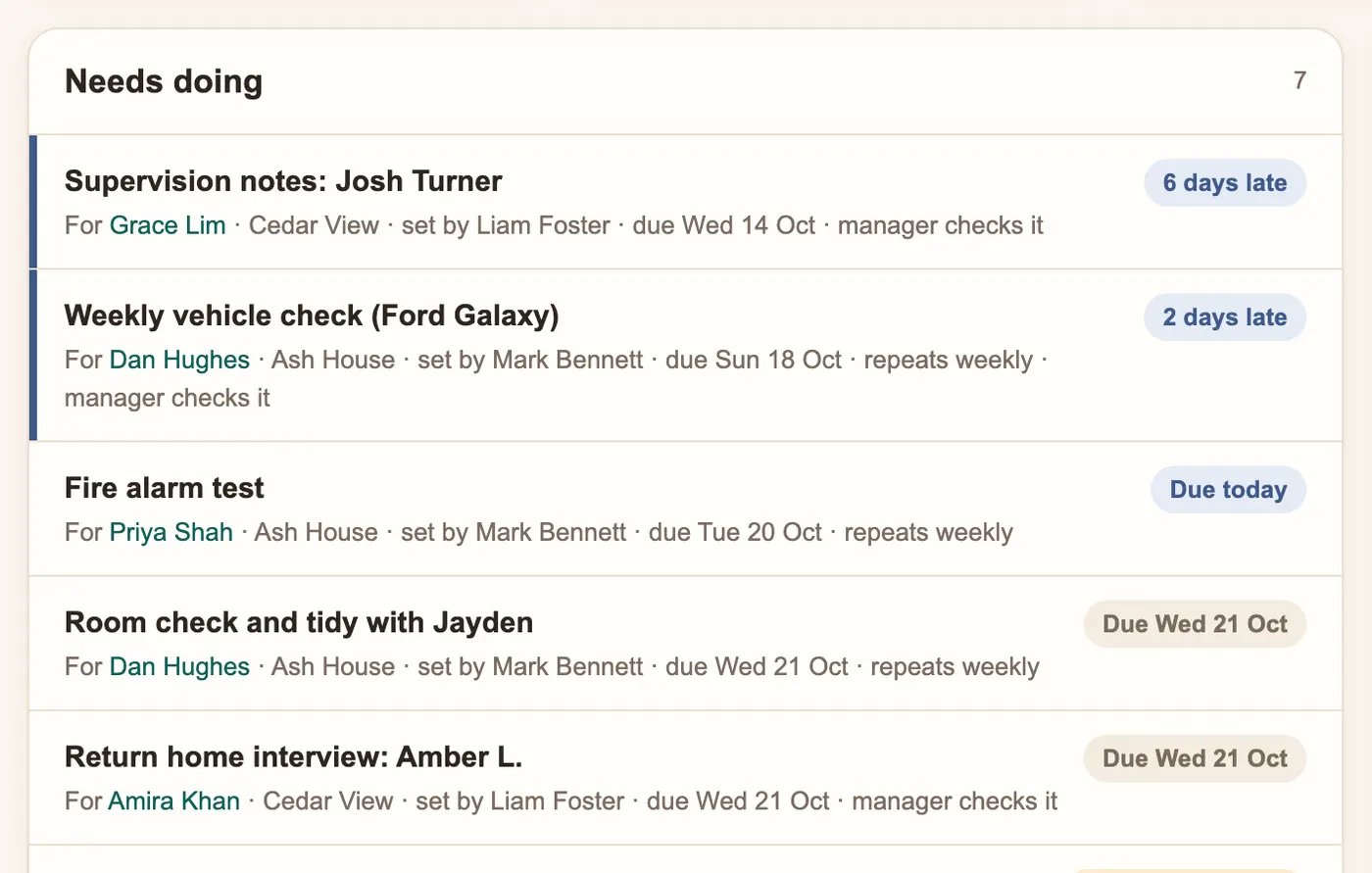
Managers give tasks to anyone in their homes with a deadline, such as updating a risk assessment after a school change. The task appears in that person's list straight away. When it is marked done, the manager checks it before it is closed, and can send it back with a note.
Late tasks show in blue, not red. Red is kept for safety alerts.
Book a 30-minute demonstration. We'll show you the screens your staff, managers and inspectors would use.
Precinct Care
Care staff clock in with Face ID on a registered device, checked against location and the home's own Wi-Fi. Approved hours go straight to pa
Recording software for children's homes, built around the 2015 Regulations and Quality Standards: daily logs, files, chronology, Reg 40, 44
How Precinct Care protects children's records: registered devices only, Face ID instead of passwords, read-only inspector access and an audi